If this doesn't work for you on other DLNA enabled devices, then you can try these alternate programs:
Imediashare
Ps3mediaserver
Allshare
Features the Music Square, the new equalizer modes and more!
You can also just say " snooze " or "stop".
Archived Flash Player versions
 As you may know, Adobe Flash Player for Android has been pulled from the Google Play Store and you No longer see the flash player on your "Installed Apps" tab on Google Play store.
We Have a Solution! Here is a tutorial for How to Manual Install & Update Adobe flash Player on Any Android Smartphone running Android version 2.1 or later, Or just Download it and keep it as a back-up.
1- In your phone go to Menu > Settings (or Menu > More > Settings), which is where the "Enable Plug-ins" option can be found.
2- Then Check the "Unknown Sources" software box.
3- Download the latest Android Flash 11.1.115.20 / 11.1.111.19 APK from Here:
2.x/3.x
4.x
4- Copy the APK to your Phone storage, using Any File Explorer find the APK you've copied to your phone and Install it.
5- Go to the Menu > Settings and Uncheck "Unknown Sources" (Optional)
6- DONE! you've just Installed/Updated your Adobe flash to the latest stable version.
NOTE : I JUST FOUND THIS WAY NAVIGATING TO THE NET AND IT WORKS!,,!
Source

We Have a Solution! Here is a tutorial for How to Manual Install & Update Adobe flash Player on Any Android Smartphone running Android version 2.1 or later, Or just Download it and keep it as a back-up.
1- In your phone go to Menu > Settings (or Menu > More > Settings), which is where the "Enable Plug-ins" option can be found.
2- Then Check the "Unknown Sources" software box.
3- Download the latest Android Flash 11.1.115.20 / 11.1.111.19 APK from Here:
2.x/3.x
4.x
4- Copy the APK to your Phone storage, using Any File Explorer find the APK you've copied to your phone and Install it.
5- Go to the Menu > Settings and Uncheck "Unknown Sources" (Optional)
6- DONE! you've just Installed/Updated your Adobe flash to the latest stable version.
NOTE : I JUST FOUND THIS WAY NAVIGATING TO THE NET AND IT WORKS!,,!
Source
Google Releases Dedicated Zagat App for FREE, Shows You Restaurants Near You In Beauty And Style
android 11:00 AM
Sure, Google may have acquired Zagat and used the company's renowned ratings engine to start powering its data on everything from electronics stores to car washes. However, the review site got its start in restaurants way back in the day, and even after the purchase, continues to provide helpful information on every aspect of your food consumption outings. So, why not give the service its own app? Well, that's just what everyone's favorite search giant did!

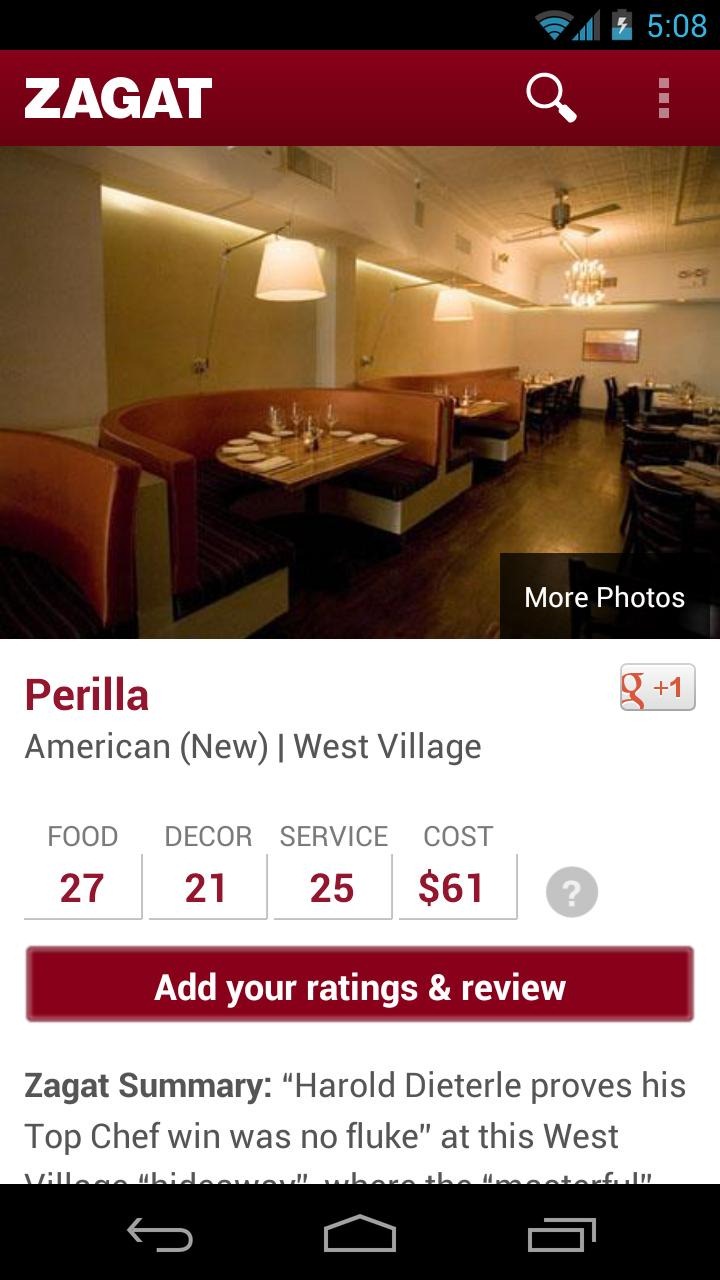
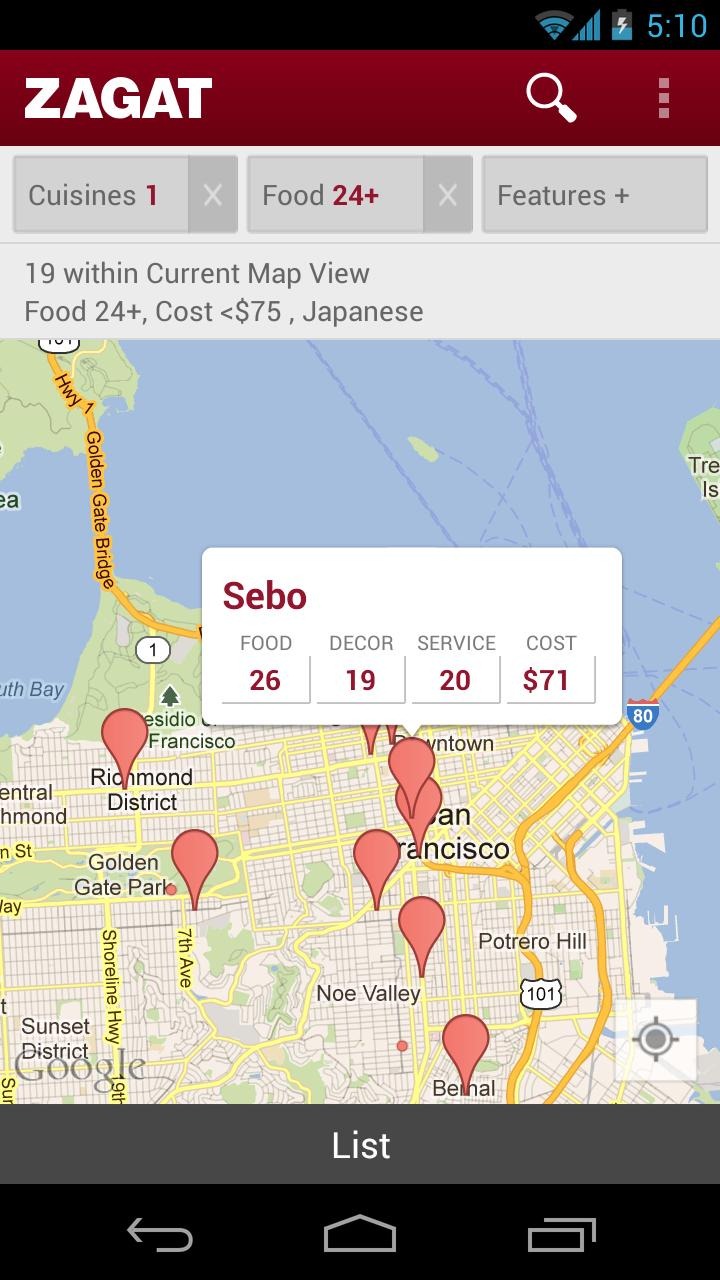

Zagat is predictably gorgeous. With Google Maps built in, it's convenient to find a restaurant near you, check its ratings, and even get photos of the place where available. For those unfamiliar with the system, each establishment gets separate scores for food, décor, and service, with an overall ranking for the place as a whole. There is even a scale for measuring how expensive the meals get.
All in all, it's a pretty nice looking app. It may be redundant info if you already use Local for finding places nearby, but if you'd like to get rid of the clutter when searching for restaurants, it'd be hard to find a prettier app than Zagat.


